Category: Blog

  • The September 2026 Newsletter Is Here

    The September 2026 edition of Cap’n Crunch’s newsletter is now live.

    This month, John shares the story behind TimeTrack Invoice—a simple time-tracking and invoicing app he built with cloud AI, Flutter, and Dart. He explains how a hand-drawn interface became a working cross-platform application and what it took to prepare the app for Apple’s App Store.

    The issue also includes details about a limited 90-day beta-testing opportunity for people who bill clients by the hour.

    You can also browse every past issue in the Cap’n Crunch newsletter archive.

  • Newsletter #8 — September 2026

    Newsletter #8 — September 2026

    What if a rough sketch, a good idea, and an AI collaborator were enough to build a real app?

    That is exactly what I set out to discover—and the result is TimeTrack Invoice, a new time-tracking and invoicing app now available on Apple’s App Store.

    I’ve been experimenting with cloud AI for some time. I started with Cursor, a version of Microsoft’s Visual Studio Code that can work with several large language models, including ChatGPT, Claude, Grok, and Gemini. Eventually, I settled on Claude Cowork. It keeps track of my sessions, lets me separate projects, and—most importantly—helps me turn an idea into something that actually works.

    The problem that sparked the app

    Friends often ask me to work on projects for them. I enjoy the work, but I have never been a great record keeper. Tracking which project I worked on, when I started, when I stopped, and what should appear on an invoice can become a project of its own.

    So I asked a simple question: Could I use AI to build the straightforward time tracker I wanted to use myself?

    I did not want to limit the idea to Apple devices. I chose Flutter and its Dart programming language so the same codebase could support macOS, iPhone, and Android. I had never written a Flutter app before—but I was not going to let that stop me.

    From paper sketch to working software

    I drew the interface I had in mind on paper, took a photograph, and sent it to Claude. Within minutes, I had a working user interface that looked remarkably close to my sketch. That moment felt like a glimpse of a new kind of programming: describe the destination clearly, then work with the AI to build the road.

    I developed the Apple and Android versions in parallel. Although I worked on the project in spare bursts, I estimate that the complete build would have taken about one focused week. Claude also guided me through the unfamiliar process of preparing and submitting my first app to Apple’s App Store.

    TimeTrack Invoice is now live

    Download TimeTrack Invoice from the Apple App Store. The direct link is the easiest way to find it; a regular search may place it well down the list among many other time-tracking apps.

    I deliberately kept the experience simple:

    • Select the project you are working on.
    • Press the large Start button when work begins.
    • Stop and restart the timer whenever a phone call, break, or interruption pulls you away.
    • Generate a professional invoice at the end of the month and email it directly to your client from your phone.

    The app stores your entries locally, keeps each project organized, and costs $4.99—one of Apple’s lowest paid-app tiers.

    Want to help shape what comes next?

    I have a limited number of openings for serious beta testers. I’m especially interested in hearing from people who bill by the hour: repair technicians, consultants, tradespeople, freelancers, and other independent professionals who need accurate records without unnecessary complexity.

    Approved testers will receive a free copy for the 90-day beta period. In return, I’m asking you to use the app regularly and tell me honestly what works, what does not, and what would make it more useful.

    Building TimeTrack Invoice reminded me why I still love technology: a useful idea can begin with nothing more than a problem, a pencil sketch, and the willingness to try something new.

    Enjoy—and let me know what you think.

  • John Draper Website Update: WaveWatch, Ham Radio, and AI Development

    John Draper Website Update: WaveWatch, Ham Radio, and AI Development

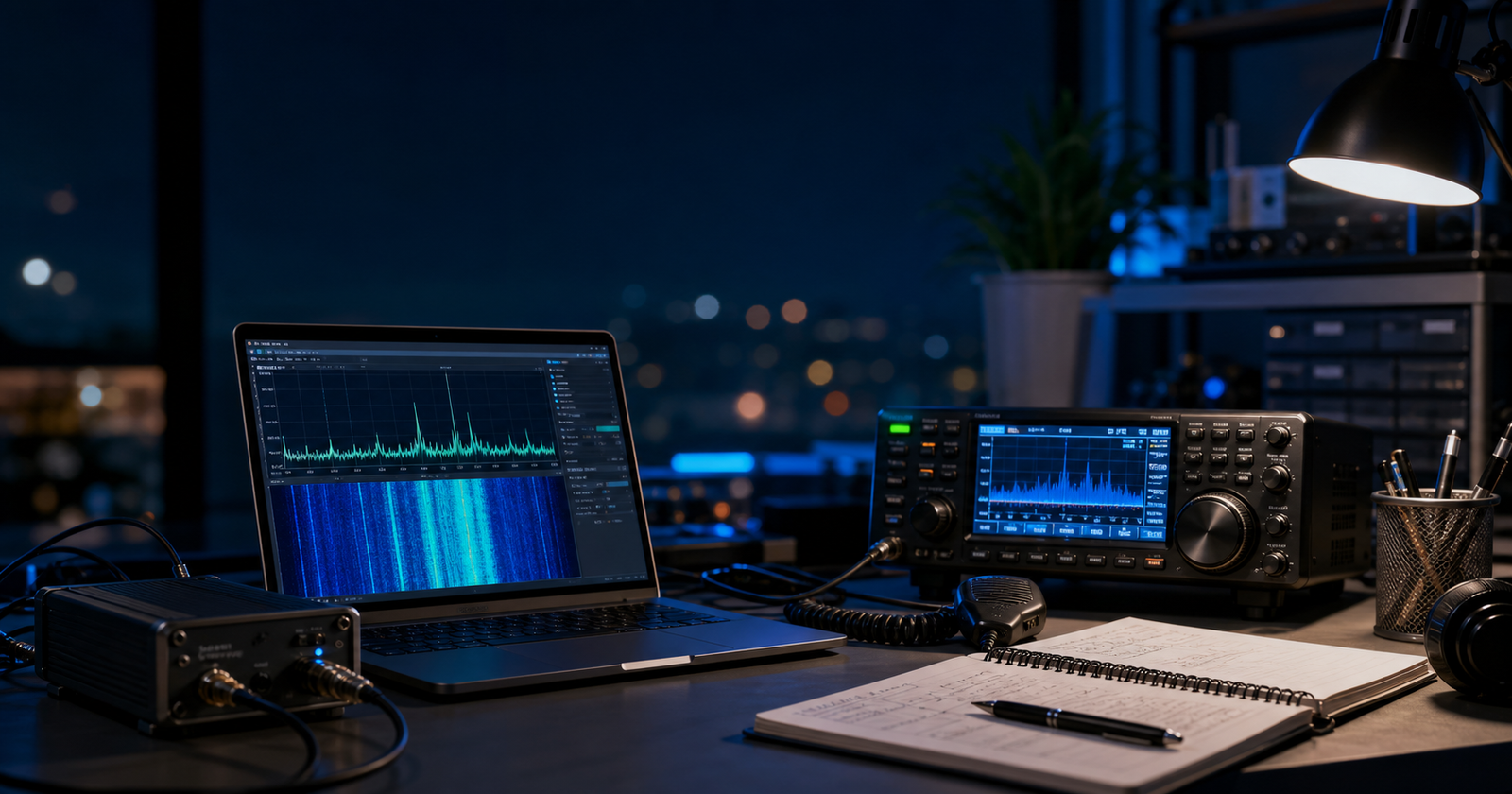
    The past several weeks have been extremely busy for me as development continues on my new project called WaveWatch. I am not quite ready to reveal all the details publicly yet, but I can say that the project has been moving forward rapidly, especially with the help of modern artificial intelligence development tools.

    Recently, I attended meetings with the Henderson Amateur Radio Club and had the opportunity to talk with fellow amateur radio operators about the WaveWatch project. The response was very positive, and several members suggested that I create a dedicated Discord server where I can post updates, technical discussions, development progress, and eventually coordinate testing with members of the ham radio community.

    That idea makes a lot of sense because projects like this benefit greatly from collaboration between radio operators, SDR experimenters, software developers, and electronics enthusiasts. Amateur radio operators have always been at the forefront of experimentation, innovation, and emergency communications, and I believe AI-assisted software development will become an important part of the future of ham radio technology.

    To encourage collaboration and technical participation, I have also posted portions of the WaveWatch source code to GitHub. At the present time, however, access is intended primarily for individuals who are genuinely interested in helping contribute to the project and assist with development, testing, experimentation, and improvement of the system. My goal is to build a collaborative technical community around WaveWatch consisting of radio enthusiasts, SDR experimenters, programmers, and researchers who share an interest in advanced communications technology and AI-assisted development.

    In addition to WaveWatch, I am also involved in two other major technical projects that are currently under non-disclosure agreements, so unfortunately I cannot discuss details publicly at this time. However, I can say that both projects involve advanced technology concepts and have the potential to become extremely significant.

    I can also publicly acknowledge that I have been involved in providing technical information in support of the Ukrainian war effort during the ongoing conflict with Russia. The world has changed dramatically in recent years, and communications technology, signal intelligence, and decentralized systems have become increasingly important on the modern battlefield. At the same time, I personally hope the conflict will come to an end soon and that peace can eventually be restored.

    One of the most fascinating developments I have witnessed lately has been the explosive advancement of artificial intelligence systems. The software world is changing at an incredible pace. Many programmers are now using AI-assisted coding systems that can dramatically accelerate development and prototyping.

    The primary development environment I am currently working with is Cursor, along with AI command-line systems such as OpenAI Codex CLI. For WaveWatch development, I have also been heavily using Claude AI for programming assistance, debugging, and rapid code generation.

    A lot of hardcore programmers are understandably nervous about the rise of AI-assisted development tools because they fear losing their jobs. Personally, I believe the smarter approach is to embrace these systems rather than fight them. AI is becoming a tool that can amplify human creativity and productivity.

    The role of the programmer is evolving. Instead of spending countless hours manually typing every line of code, developers are increasingly becoming system architects, prompt engineers, testers, and problem solvers. The ability to clearly describe a problem and guide an AI system toward a working solution is becoming a valuable skill in itself.

    Prompt engineering may require a different skill set than traditional hardcore programming, but it opens the door for many more people to participate in software creation and technological innovation. At the same time, experienced engineers and technical thinkers still have a major advantage because they understand how systems actually work underneath the surface.

    We are entering a completely new technological era, and I am excited to be part of it.

    There is still a tremendous amount of work ahead. At the moment, WaveWatch is being developed primarily as a website-based system rather than as a standalone runnable application. Fortunately, that transition should not be too difficult because I have essentially been building it as a web-based platform from the very beginning. Most of the remaining work involves refining the interface, making a few structural changes, deploying it to a public server, and continuing development and testing.

    Later on, I plan to expand WaveWatch into multiple platforms, including Android, iPhone/iOS, macOS, and Microsoft Windows applications. That stage of development will come later as the core system becomes more mature and stable.

    One thing I still have not fully decided yet is the final domain name for the project. Choosing the right name is important because it should reflect the purpose and spirit of the system while also being memorable and easy to recognize. Perhaps some of you reading this may even want to help suggest ideas as the project continues to evolve.

  • Understanding Ionosonde and GPS TEC Maps: Tools for HF Propagation Mastery

    For HAM radio operators, reliable communication—especially on HF bands—depends heavily on the state of the ionosphere. The ability to predict or analyze ionospheric conditions can make or break a QSO, especially during contests or emergency communication scenarios. Two advanced tools are at the forefront of ionospheric science: Ionosonde data and GPS TEC (Total Electron Content) maps. These technologies not only empower amateur operators with real-time propagation insight but also enhance preparedness for space weather anomalies.

    The Ionosphere: A Brief Recap

    The ionosphere is the region of Earth’s upper atmosphere—roughly 60 to 1,000 km above the surface—where solar radiation ionizes atoms and molecules, creating a layer of free electrons and ions. This region reflects and refracts HF radio waves back to Earth, enabling long-distance communication well beyond line-of-sight.

    The ionosphere is divided into D, E, F1, and F2 layers, with the F2 layer being most critical for long-distance HF operation, especially between 3 and 30 MHz. But the ionosphere is not static—it fluctuates with solar activity, geomagnetic storms, time of day, and latitude. Understanding these fluctuations in near-real-time is where ionosondes and GPS TEC maps shine.

    Ionosonde: Echo Sounding the Sky

    An ionosonde is essentially a radar system that sweeps through a range of HF frequencies (typically 1–20 MHz) and beams them vertically into the ionosphere. When the signal hits a sufficiently dense ionized layer, it’s reflected back to the ground. By measuring the time delay and frequency of the return signal, scientists can compute the virtual height and critical frequencies of the ionospheric layers.

    The most relevant parameters for HAMs include:

    • foF2: The critical frequency of the F2 layer—maximum frequency that will be reflected vertically by this layer.

    • hmF2: The peak height of the F2 layer.

    • foE and foF1: Critical frequencies of the E and F1 layers, useful for understanding daytime propagation paths.

    You can view real-time ionosonde data from around the world at:

    🔗 Australian Bureau of Meteorology: https://www.sws.bom.gov.au/HF_Systems/6/5

    🔗 NOAA Ionosonde Stations: https://ngdc.noaa.gov/stp/IONO/

    The ionogram—a plot of frequency vs. virtual height—looks like a waveform display and is interpreted by analyzing trace curves corresponding to reflected signals from various layers. Advanced users can read these ionograms manually, while most stations now provide auto-scaled plots.

    ⸻

    GPS TEC Maps: Electron Density from Orbit

    While ionosondes give vertical sounding at specific locations, GPS TEC maps provide a global snapshot of electron content in the ionosphere. TEC stands for Total Electron Content, measured in TECU (1 TECU = 10¹⁶ electrons/m²), and is derived by calculating delays in GPS signals as they pass through the ionosphere.

    Why this matters to HAMs:

    • High TEC values generally allow higher frequency HF propagation (i.e., higher MUFs).

    • Sudden TEC fluctuations indicate geomagnetic storms or solar flare effects, which can disrupt communication.

    • Diurnal TEC variations help predict band openings and closures, especially for DX work.

    Interpreting TEC Maps

    A typical GPS TEC map uses color-coded heatmaps to show electron content over Earth’s surface. Red zones indicate high TEC (stronger ionization), while blues and greens denote low TEC.

    Recommended sources:

    🔗 NASA TEC Global Maps (JPL):

    https://iono.jpl.nasa.gov/latest_rti_global.html

    🔗 NOAA SWPC Ionospheric Data:

    https://www.swpc.noaa.gov/products/total-electron-content-tec

    🔗 University of Michigan TEC Map Viewer:

    https://aoss-research.engin.umich.edu/spaceweather/tec

    You can correlate this data with local reception reports to better understand why some paths are booming while others are dead.

    ⸻

    Real-World Application for HAMs

    Let’s say you’re on 40 meters (7 MHz) at 7:00 PM PST in Las Vegas, trying to reach a station in Oregon. If foF2 is below 7 MHz on your nearest ionosonde, the signal will likely not refract off the ionosphere, and you’ll need to switch to NVIS (Near Vertical Incidence Skywave) or wait for nightfall when the F2 layer stabilizes.

    On the other hand, if the MUF (Maximum Usable Frequency) between you and your target path exceeds 7 MHz (check TEC maps for this), you’re good to go—possibly with excellent signal strength and low noise, especially if solar conditions are quiet.

    ⸻

    TEC and Solar Disturbances

    During solar flares or Coronal Mass Ejections (CMEs), the TEC can change drastically, causing radio blackouts, increased absorption in the D-layer, and erratic skip behavior. This is why many operators monitor:

    • Kp-index (geomagnetic activity)

    • Solar X-ray flux

    • TEC deviations

    Combining these with ionosonde and TEC data enables operators to distinguish between equipment issues and space weather effects.

    ⸻

    Tools & Apps for Monitoring

    • HamCAP: HF propagation prediction tool with foF2 and MUF modeling.

    • VOACAP Online: https://www.voacap.com

    • DX Toolbox (Mac/PC): Consolidates solar indices, TEC, ionosonde, and more.

    • Space Weather Live app: Delivers alerts for flares, CMEs, and geomagnetic storms.

    • PSKReporter or WSPRNet: Use digital mode beacons to correlate propagation predictions with real-world results.

    ⸻

    Final Thoughts

    Understanding and using Ionosonde and GPS TEC maps takes HF operation from guesswork to science. These tools give operators a near real-time window into the sky—enabling better frequency choice, DX timing, and even emergency planning when standard comms are down.

    For those interested in preparedness, off-grid communication, or contesting, this knowledge is power. The more you understand the layers above, the more skilled you’ll become below.

    —

    Want to Learn More?

    Join discussions in these communities:

    • QRZ.com Forums: https://forums.qrz.com

    • Reddit /r/amateurradio: https://www.reddit.com/r/amateurradio/

    • Space Weather Prediction Center: https://www.swpc.noaa.gov
  • John Draper | Cap’n Crunch | Tech Pioneer & HAM Radio Legend

    Welcome to the Official Site of John Draper aka Cap’n Crunch

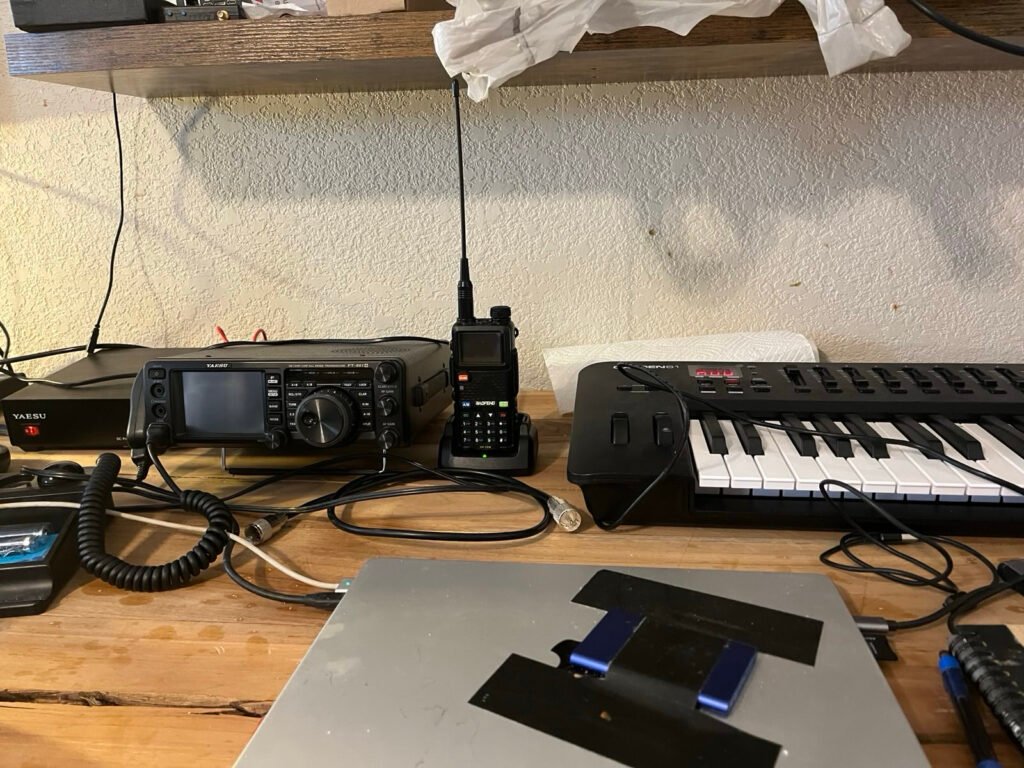
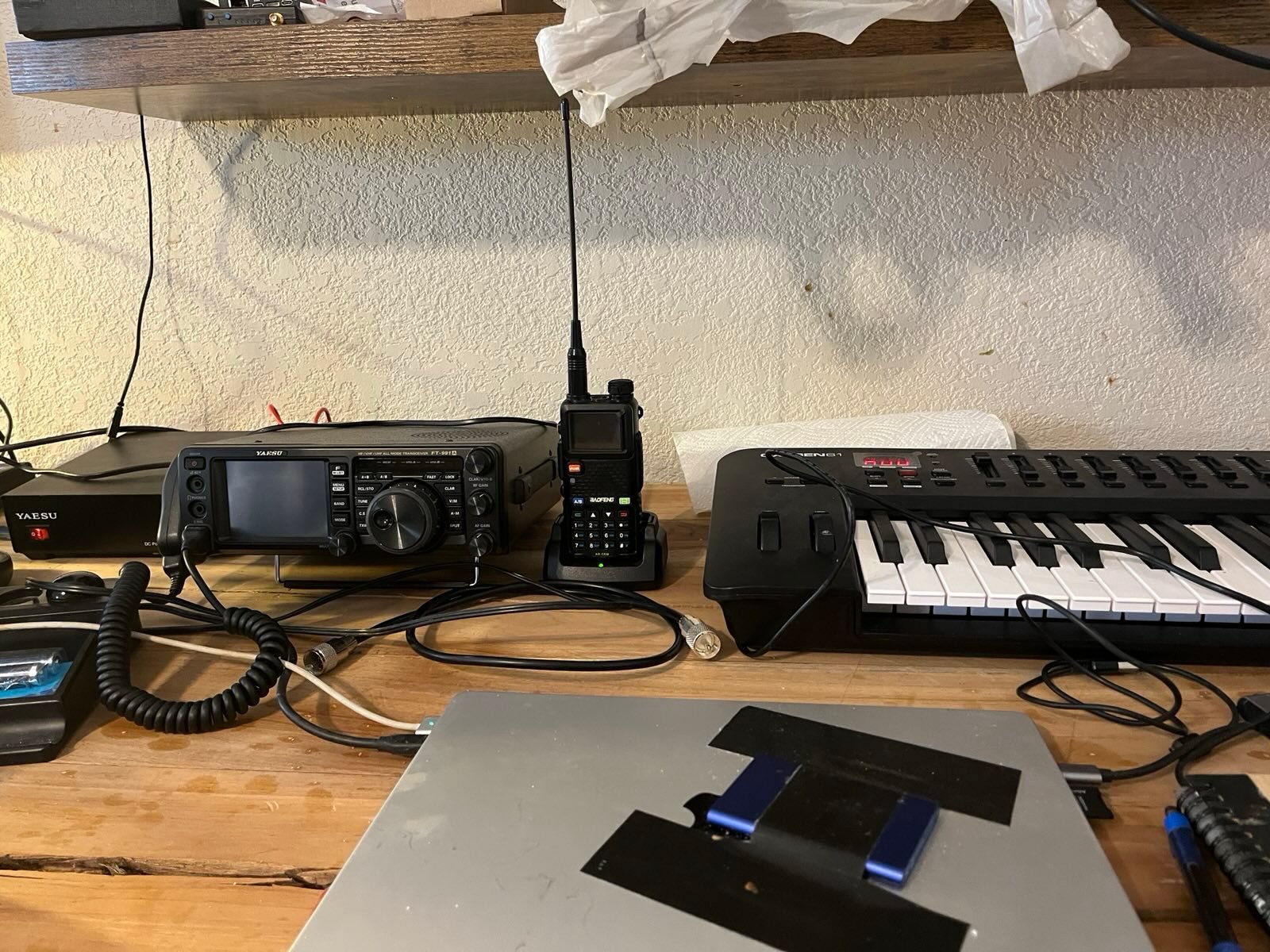
    Slowly but surely,   I’m getting my Prepping act together.   I got my Ham general class license call sign KK7YQS (Yankee, Queen Sierra).   I have a Yeasu 991A able to use 80 meters – 6 meters,  and also 2 meters – ¾ meters.  By the way,   I’m on 40 meter ham band in the afternoon,  and I talk to a lot of hams in Calif.    I’ve also got six MeshTastic devices I’m giving out to my local friends,   enabling grid free comms so I can communicate without the internet,  or a HAM license.   With my HackRF software defined radio,   I can listen to any frequency in the radio band.  

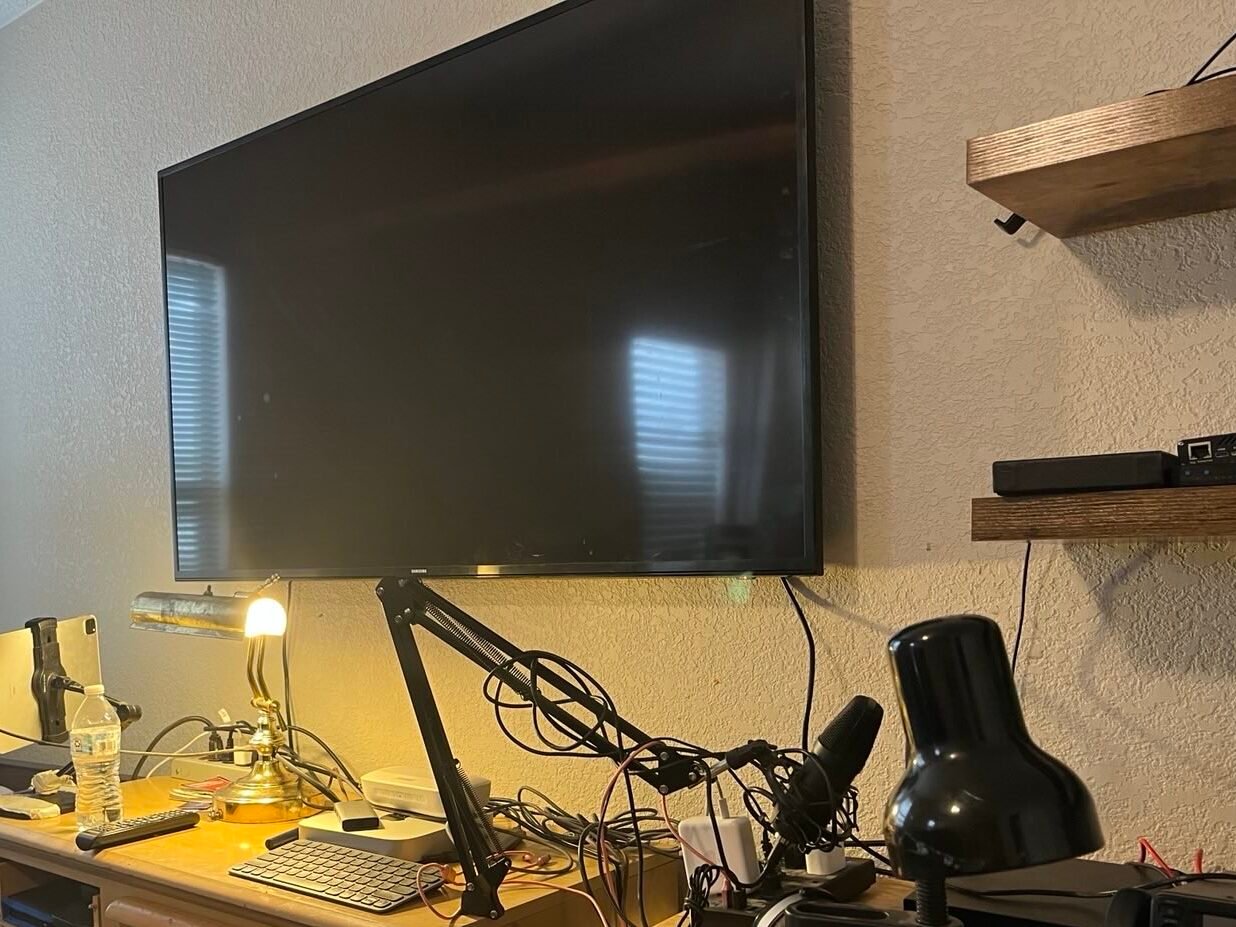
      As far as electric power is concerned,   I have an EcoFlow Power Max solar generator and my workstation is totally off the grid.   

      My next project is to protect my equipment from EMP pulse by putting my equipment in a Faraday cage.   With my USAF experience on EMP knowledge,   I should have that taken care of before the shit hits the fan.

      I’m also getting into making my own music.   I have Ableton Live with Oxygen61 MIDI from M-Audio.   I’ll need another month to learn it.

      It’s nice not to report or go to work at some job,   working for a slave driver,  And doing what I darned well please.

       As far as programming goes,   I’m finding the App Cursor.com works just great for me.    I have a choice of a number of LLM’s (Large Language Models) to choose from,   and can make iPhone,  Android,   MacOS,  and Windows programs with a single code base using Flutter,   and do it as fast as I can think about it.   

  • Newsletter #2 February 2025: Prepping Journey: HAM Radio, Off-Grid Power & Tech Exploration

    Newsletter #2 February 2025: Prepping Journey: HAM Radio, Off-Grid Power & Tech Exploration

    Slowly but surely, I’m getting my Prepping act together. I got my Ham general class license call sign KK7YQS (Yankee, Queen Sierra).

    I have a Yeasu 991A able to use 80 meters – 6 meters,  and also 2 meters – ¾ meters. By the way, I’m on 40 meter ham band in the afternoon, and I talk to a lot of hams in Calif.

    I’ve also got six MeshTastic devices I’m giving out to my local friends,   enabling grid free comms so I can communicate without the internet,  or a HAM license.

    With my HackRF software defined radio, I can listen to any frequency in the radio band.  

    Ham Radio

    As far as electric power is concerned, I have an EcoFlow Power Max solar generator and my workstation is totally off the grid.

    My next project is to protect my equipment from EMP pulse by putting my equipment in a Faraday cage. With my USAF experience on EMP knowledge, I should have that taken care of before the shit hits the fan.

    I’m also getting into making my own music.   I have Ableton Live with Oxygen61 MIDI from M-Audio.   I’ll need another month to learn it.

    It’s nice not to report or go to work at some job,   working for a slave driver,  And doing what I darned well please.

    Ham Radio

    As far as programming goes, I’m finding the App Cursor.com works just great for me.
    I have a choice of a number of LLM’s (Large Language Models) to choose from, and can make iPhone, Android, MacOS, and Windows programs with a single code base using Flutter, and do it as fast as I can think about it.


  • What is Phone Phreaking and How Did it Start?

    What is Phone Phreaking and How Did it Start?

    Imagine a time when phones weren’t smart, the internet was a sci-fi dream, and long-distance calls were so expensive they felt like luxuries reserved for millionaires. In the midst of this analog era, a group of ingenious rebels discovered they could outsmart the global telephone system—and they called it phone phreaking. At the forefront of this revolution was John Draper, also known as “Captain Crunch,” a hacker whose innovations laid the groundwork for everything from cybersecurity to Silicon Valley itself.

    What is Phone Phreaking?

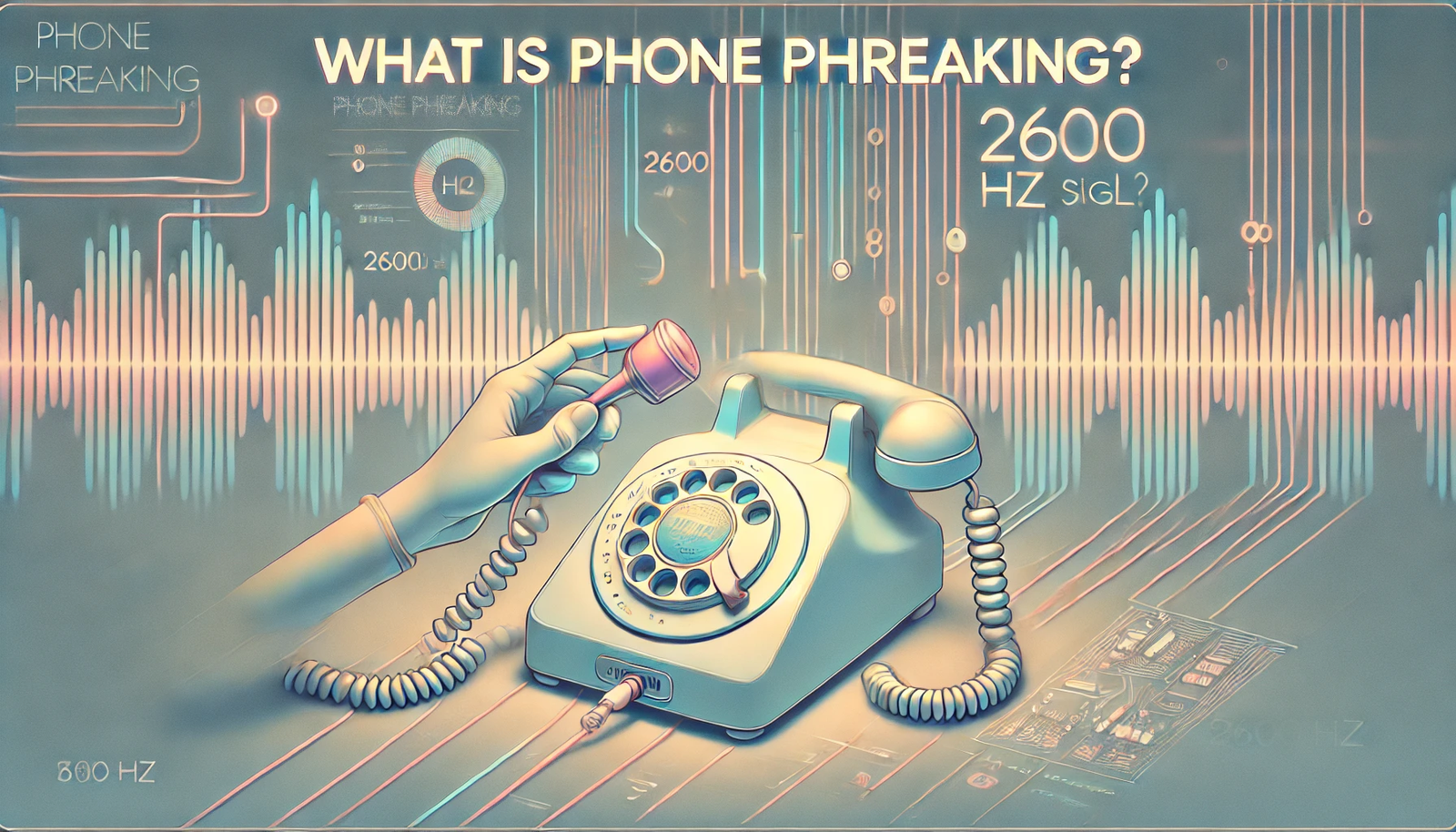
    Phone phreaking was the art of exploiting the vulnerabilities of the old-school telephone system to make free calls, explore its inner workings, or just push boundaries. Back in the day, the global phone network relied on tones to route calls—and phreakers figured out how to mimic those tones to trick the system into giving them access.

    Think of it as the analog equivalent of hacking into the mainframe like you’d see in The Matrix or Hackers. Instead of computers, the battleground was the telephone network, and the tools of the trade ranged from whistles to homebrew electronics.

    The Birth of Phone Phreaking

    The story begins in the 1960s, when a blind teenager named Joe Engressia (later known as “Joybubbles”) discovered he could whistle a perfect 2600 Hz tone, which happened to be the “golden key” to unlocking free long-distance calls. This discovery opened the door to a subculture of tech-savvy misfits who saw the telephone network as the ultimate playground.

    Enter John Draper. Draper’s legendary status was cemented when he learned that a toy whistle from a box of Captain Crunch cereal could produce the same 2600 Hz tone. Armed with this simple tool, Draper became one of the most famous phone phreaks, sharing his knowledge and inspiring a generation of hackers.

    How It Worked

    To understand how phone phreaking worked, picture the telephone system as a giant game of Jenga. Each tone and signal was like a block in the tower, carefully placed to keep everything running smoothly. Phreakers discovered they could mimic these tones to manipulate the system, bypassing security and gaining access to its “secrets.”

    Using tools like “blue boxes” (homemade devices that generated the necessary tones), phreakers could:

    • Make free long-distance calls.
    • Explore the global phone network like digital adventurers.
    • Eavesdrop on private conversations.

    This wasn’t just about saving a few bucks; it was about understanding and mastering a complex system. Phreakers were the original tech explorers, much like the hackers in WarGames or the code-cracking geniuses in Sneakers.

    John Draper’s Role

    John Draper wasn’t just a phone phreak; he was a teacher, a pioneer, and a legend. Known for his generosity, Draper shared his techniques with other hackers, including a couple of guys named Steve Wozniak and Steve Jobs. Yes, those Steves. Inspired by Draper’s ingenuity, Wozniak built his own blue box, and the rest is Apple history.

    Draper’s contributions to phone phreaking didn’t just influence the counterculture; they also shaped the ethos of Silicon Valley. His mantra of “exploration and experimentation” became the backbone of modern tech innovation.

    Cultural Impact

    Phone phreaking wasn’t just a geeky hobby—it was a cultural phenomenon. The movement inspired the hacker ethic celebrated in movies like Hackers (1995), where characters blend technical genius with anti-establishment rebellion, and Mr. Robot, which dives deep into the psychological and societal impact of hacking.

    Phreaking also paved the way for modern cybersecurity. The techniques and tools developed by phreakers highlighted vulnerabilities in systems, forcing companies to rethink security. Today’s ethical hackers owe a debt to Draper and his peers for proving that even the most complex systems have cracks.

    Why It Still Matters

    In a world dominated by digital networks, the spirit of phone phreaking lives on. It’s a reminder that technology isn’t just about gadgets; it’s about curiosity, creativity, and questioning authority. Draper’s whistle might seem quaint in an age of AI and quantum computing, but the lessons it taught—about exploration, innovation, and pushing boundaries—are timeless.

    Fun Facts for the Curious

    1. Pop Culture Love: The 2600 Hz tone became so iconic that a magazine for hackers was named 2600: The Hacker Quarterly. It’s still in circulation today.
    2. Hollywood Moments: In The Matrix, when Neo receives a phone call from Morpheus on a flip phone, you can almost hear the echoes of phone phreaking in the background.
    3. DIY Culture: Blue boxes were the original “maker” project, inspiring the DIY tech movement long before Raspberry Pi and Arduino.

    Closing Thought

    Phone phreaking was more than a hack; it was a movement that redefined what was possible with technology. And at its heart was John Draper, a man with a cereal box whistle and an insatiable curiosity. In a world obsessed with innovation, Draper’s story reminds us that sometimes the most groundbreaking ideas come from the simplest tools—and a refusal to accept limits.

  • Who is John Draper? A Legendary Hacker’s Story

    Who is John Draper? A Legendary Hacker’s Story

    In the world of hacking, few names echo louder than John Draper. Known by his alias “Captain Crunch,” Draper is a figure who has bridged the gap between the rebellious origins of hacking and the technological marvels of today. If you’ve ever watched Mr. Robot and marveled at the ingenuity of Elliot Alderson, or cheered for Lisbeth Salander in The Girl with the Dragon Tattoo, you’re already familiar with the spirit of Draper’s legacy—a mix of curiosity, audacity, and brilliance.

    The Origin Story: A Captain Crunch Beginning

    John Draper didn’t set out to become a hacker; he simply loved solving puzzles. His most famous exploit began with a simple plastic toy found in boxes of Captain Crunch cereal. In the late 1960s, Draper discovered that the whistle, when blown into a telephone receiver, could emit a 2600 Hz tone—a frequency that could manipulate AT&T’s long-distance telephone system. This revelation allowed users to make free calls anywhere in the world, giving rise to the art of “phone phreaking.”

    Imagine it: you’re in the 1970s, before smartphones, before the internet, before Stranger Things made retro tech cool. Using a cereal toy to outsmart corporate giants was the ultimate rebellion, a real-life WarGames scenario where the system itself became the playing field.

    The Rise of Phone Phreaking

    Draper’s discovery wasn’t just a quirky hack; it was a revolution. He shared his techniques with other pioneers, including Steve Wozniak and Steve Jobs, the future founders of Apple. These “phreakers” became the ancestors of modern hackers, using their skills to question authority and push the boundaries of what technology could do.

    The phone phreaking movement inspired countless innovations, not to mention pop culture moments like Neo hacking the Matrix in The Matrix or the anarchistic chaos of Fight Club. Draper and his peers were the original “tech rebels,” challenging the establishment in a way that felt both dangerous and exciting.

    EasyWriter and the Apple Connection

    John Draper’s influence didn’t stop at phone phreaking. In 1979, he created EasyWriter, the first word processor for the Apple II. If you’re typing up essays, blog posts, or even fanfiction on your laptop today, you owe a nod to Draper for paving the way.

    The Apple II itself became a symbol of tech empowerment, much like the gadgets in Black Mirror that blur the line between innovation and dystopia. EasyWriter was Draper’s way of contributing to the revolution he helped spark, making technology accessible to everyday users.

    A Hacker’s Legacy

    Draper’s story is about more than hacking phones and writing code. It’s about curiosity—that irresistible urge to peek behind the curtain and see how things work. His exploits embody the hacker ethos seen in Hackers (1995), where Angelina Jolie’s character proudly declares, “Hack the planet!”

    Beyond his technical achievements, Draper has been a mentor, an icon, and a cautionary tale. His journey hasn’t been without controversy, but it’s this complexity that makes him such a fascinating figure.

    Lessons from Draper’s World

    For today’s generation—born into a world of TikTok, AI, and cybersecurity threats—Draper’s story is a reminder that technology isn’t just about gadgets. It’s about people. Draper wasn’t a criminal; he was a pioneer who saw the potential of systems before anyone else. His story is a call to embrace curiosity responsibly.

    So, the next time you watch Ready Player One or rewatch The Social Network, remember John Draper. Remember the whistle. Remember the ingenuity that turned cereal box toys into tools for global communication. Because behind every swipe, every click, and every beep, there’s a bit of Captain Crunch spirit—a hacker’s spirit—pushing us all to think differently.

    Closing Thought

    John Draper is more than a legendary hacker; he’s a bridge to an era where innovation felt rebellious and creativity had no limits. If Draper taught us anything, it’s this: the world is full of systems waiting to be explored, and sometimes, all it takes is a whistle to change everything.